
From Requirement to Test Suite: A Practical Guide to AI Test Generation
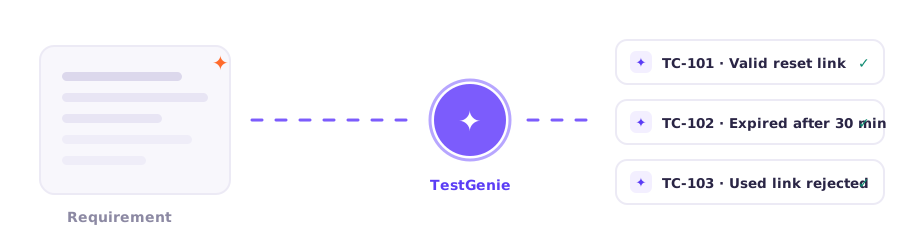
AI test generation works brilliantly — or terribly — depending almost entirely on what you give it and how you review what comes back. After watching hundreds of teams adopt TestGenie, the pattern is clear: the tooling matters less than the workflow around it.
Start with requirements worth testing
The single biggest predictor of generated test quality is requirement quality. A one-line story like "user can log in" produces generic tests. A story with acceptance criteria, edge conditions and business rules produces a suite you'd be proud to have written by hand. Before pointing AI at your backlog, spend an hour tightening the stories that matter — it pays back tenfold.
Good inputs include user stories with acceptance criteria, API specs, business-rule documents, and even support tickets that describe real failure modes. TestGenie reads context from all of them.
Generate broad, then prune
Ask for more than you need. Generating thirty cases and deleting ten weak ones is faster than generating ten and writing ten more. AI is excellent at enumerating combinations humans skip — boundary values, state transitions, the "what if the link is clicked twice" paths — so let it be exhaustive, then apply judgement.
Where human judgement is irreplaceable
Three places, consistently. First, risk weighting: the AI doesn't know your payment flow broke twice last quarter. Second, domain absurdity: it may dutifully test scenarios your business rules make impossible. Third, test data realism: real-world messiness — legacy accounts, locale quirks, migration leftovers — comes from your team's scar tissue, not from a model.
Measure the right thing
Don't measure "tests generated" — measure review acceptance rate and escaped defects. Healthy teams accept 70–85% of generated cases with light edits. If you're accepting 100%, your review is rubber-stamping; if 40%, your inputs need work.
Teams that follow this loop typically cut test design effort by well over half within a month — not because the AI is magic, but because enumerating scenarios was always the slow part, and that's now instant.
See This in Practice
Bring a real requirement to a TestPlus demo and watch the workflow run end to end.